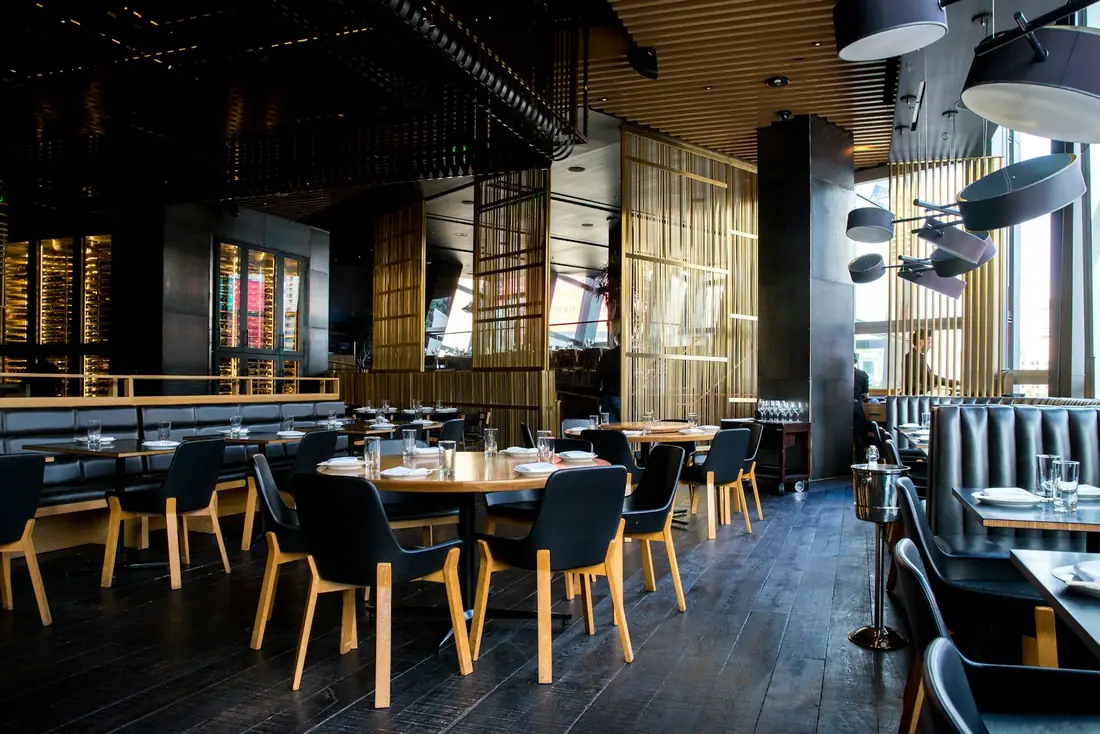
Get discovered
Diners find you on the city map, in InTaste Recommends (date night, brunch, rooftop views and more) and in the city's Top 50.
InTaste for restaurants
InTaste puts your restaurant in front of people choosing where to eat right now. They see your free times and offers, book in seconds, and every booking lands in your Merchant Panel.
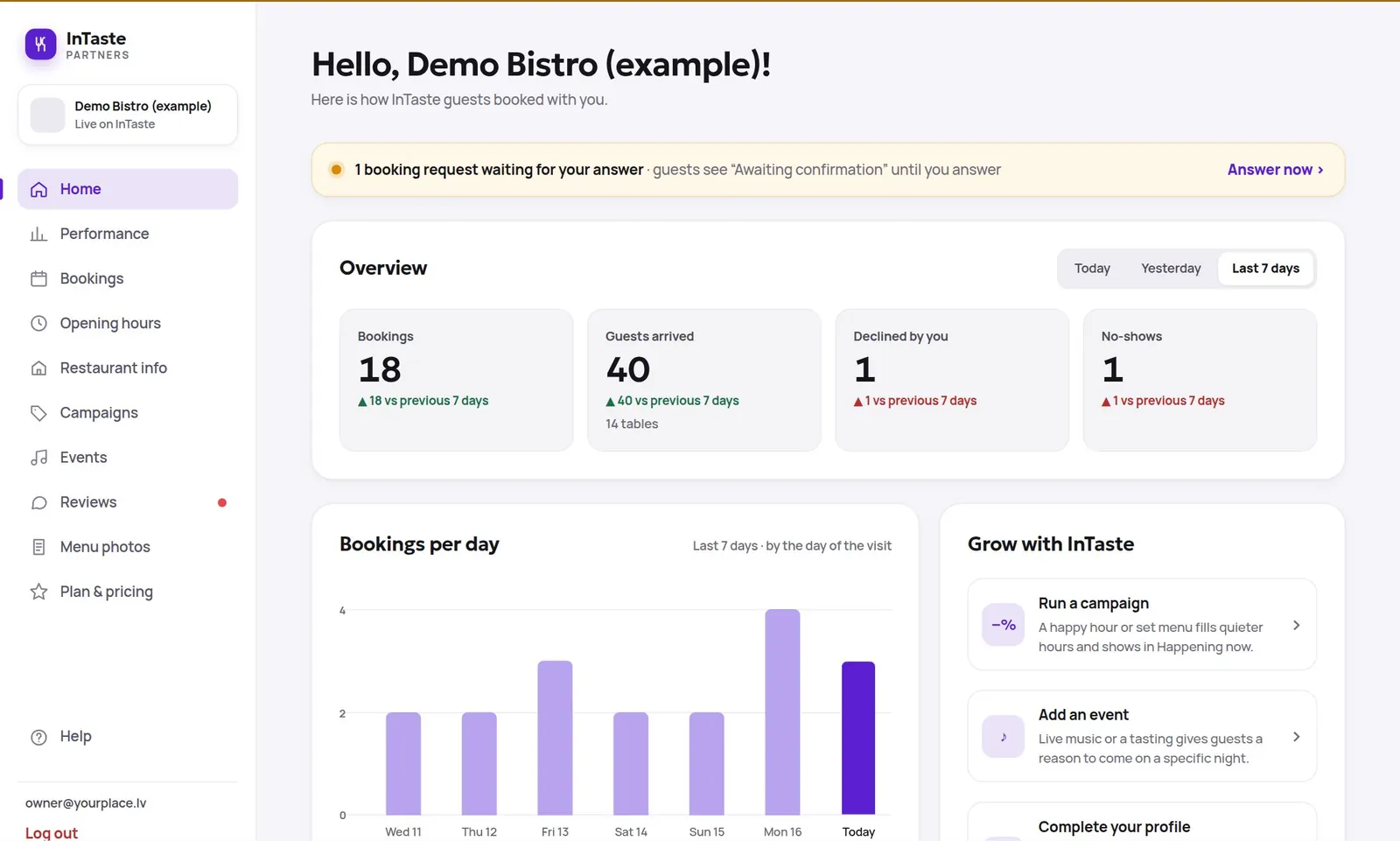
The real Merchant Panel, shown with example data.
What you get
Diners find you on the city map, in InTaste Recommends (date night, brunch, rooftop views and more) and in the city's Top 50.
Requests arrive day and night, even when nobody can pick up the phone. Confirm or decline in one tap, and mark arrivals and no-shows.
Run a happy hour, a lunch deal or a set menu. Guests see it in the app only while it runs, and it is attached to the bookings it brings.
Live music, DJ nights and tastings appear in What's on and on your page, giving guests a reason to come on a specific night.
Only guests who booked and came can review you, scoring food, service, atmosphere and waiting time. You can post one public reply to each.
Photos, menu, opening hours, cuisines, average price and a description in English, Latvian and Russian. You edit it, changes go live when you save.
The Merchant Panel
Works in any browser, on a laptop, tablet or the phone behind the bar. Nothing to install.
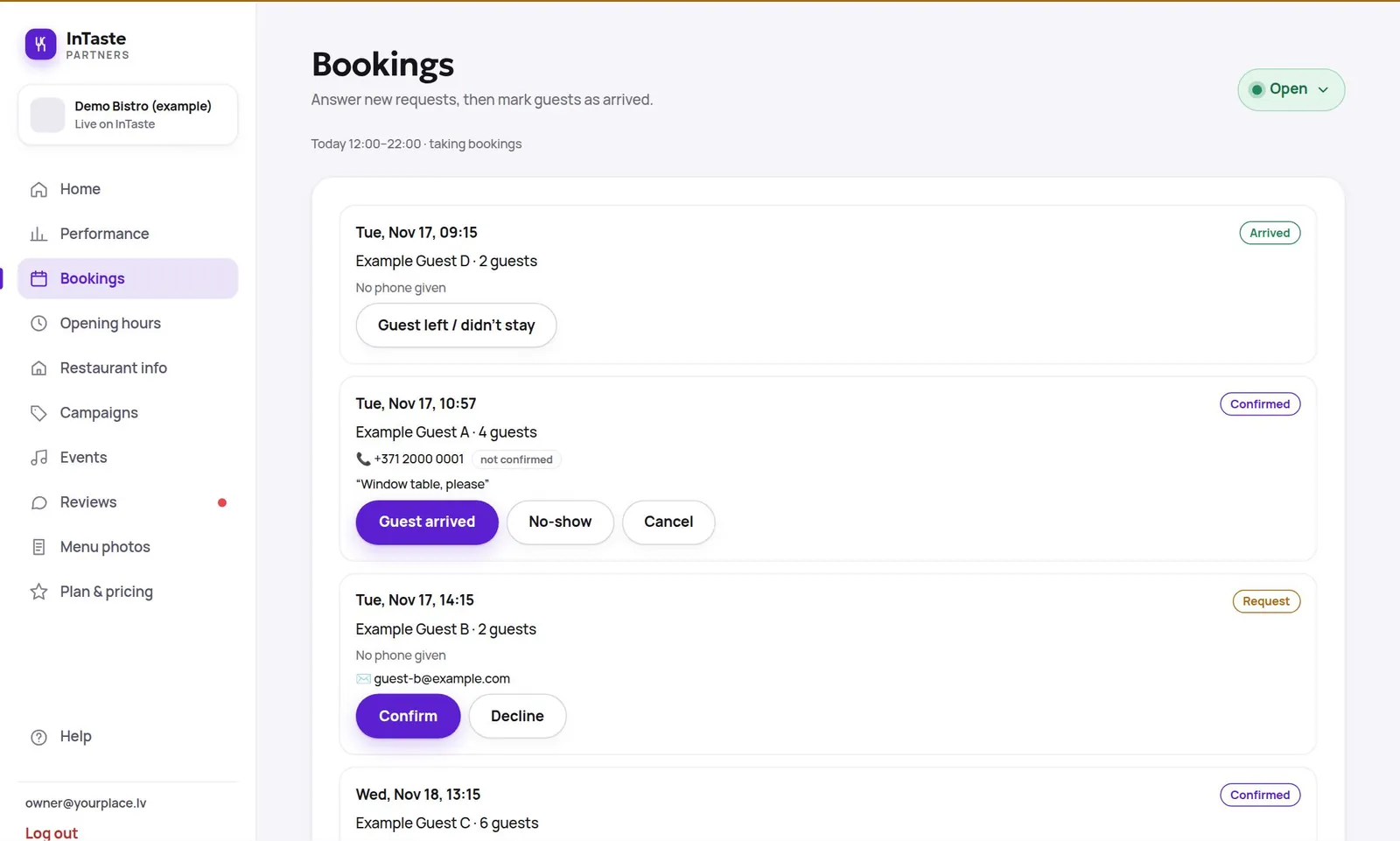
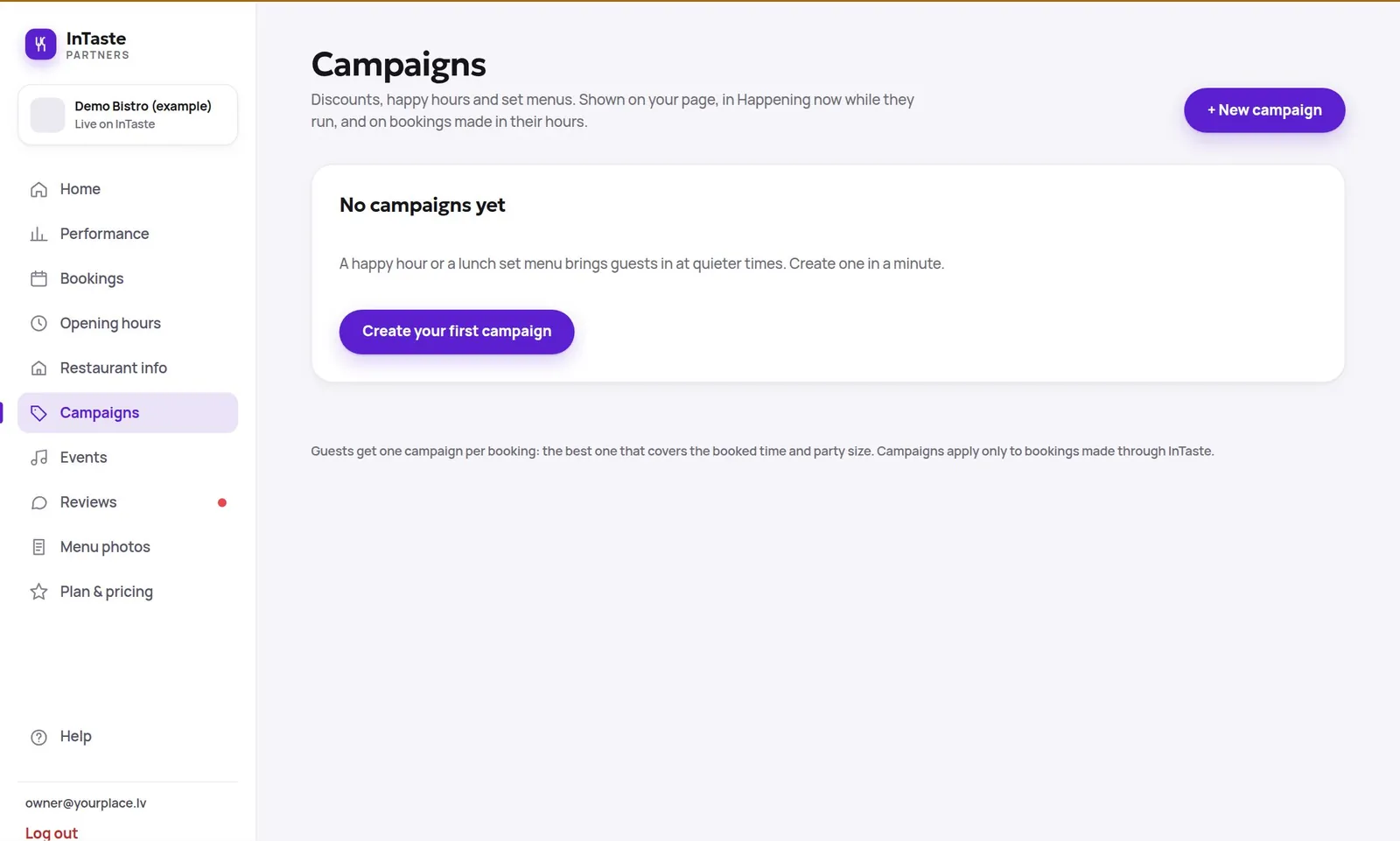
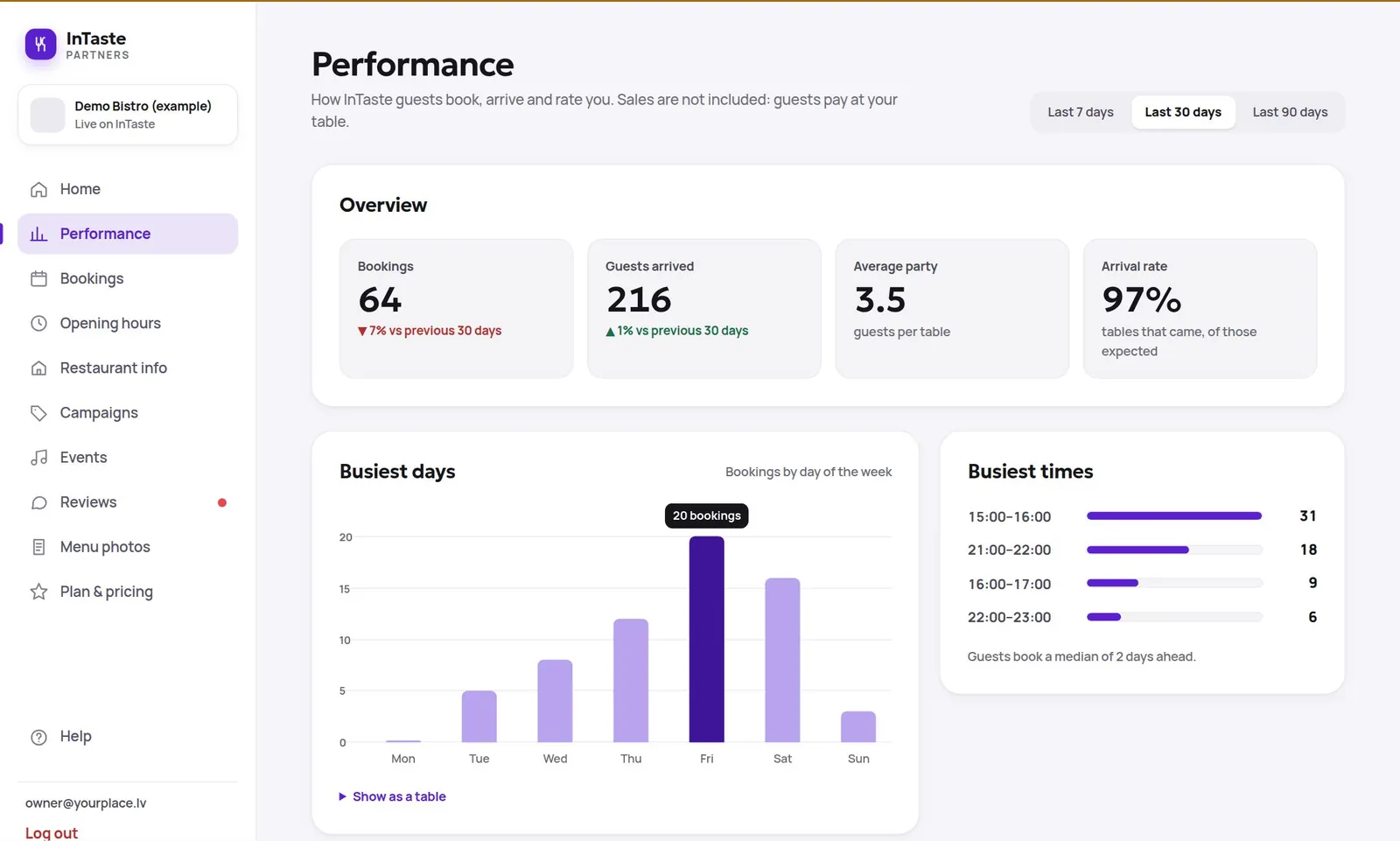
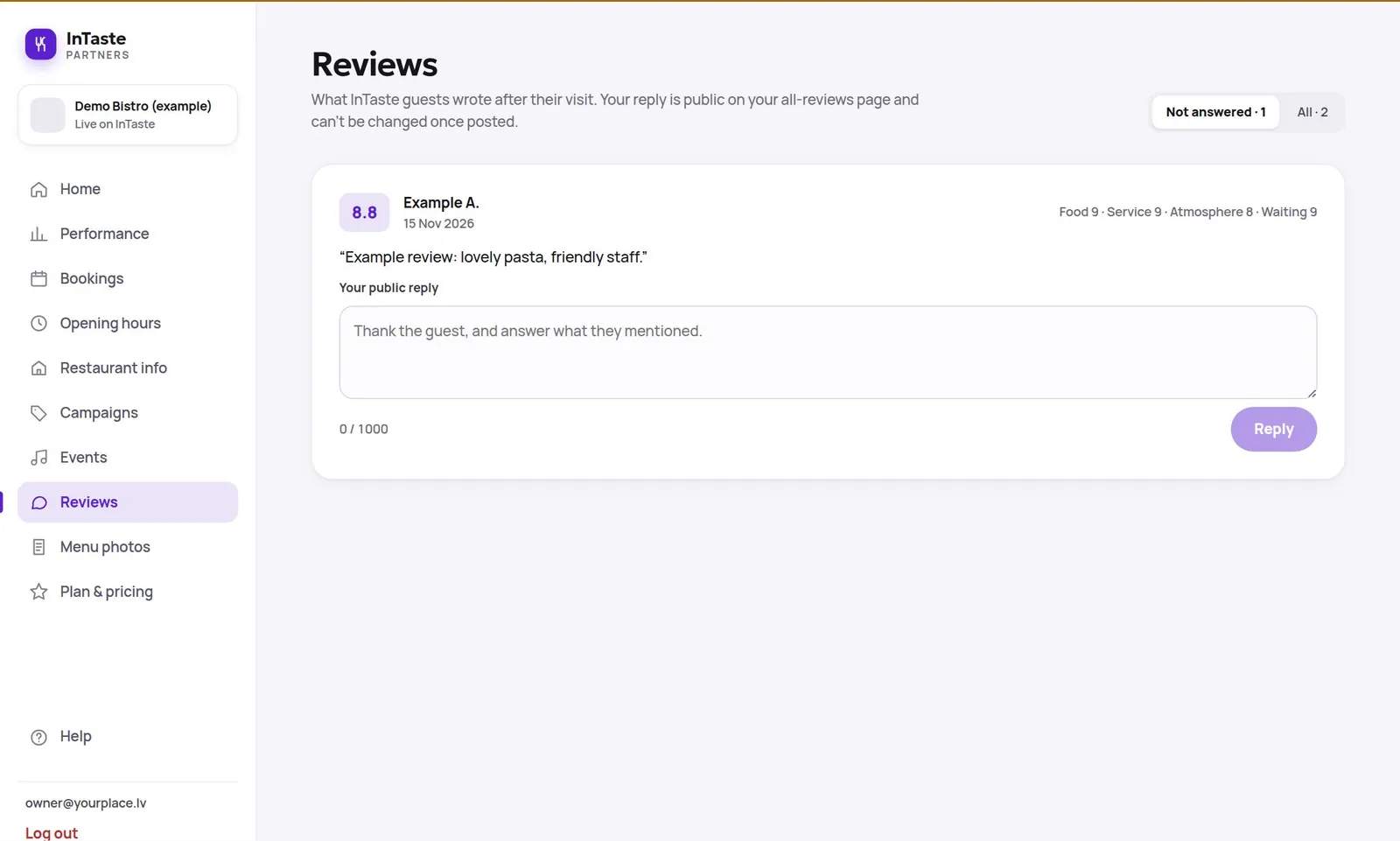
Real screens, example data.
New requests on top. Confirm or decline, see the guest's note and phone, then mark them as arrived or as a no-show.
Pick the days and hours, the discount or set price, and it goes live in the app. Pause or end it whenever you like.
Bookings, guests arrived, average party, arrival rate, and your busiest days and times, for the last 7, 30 or 90 days.
See every review with its four scores, get a dot when new ones arrive, and answer with one public reply.
How to join
Leave your details below. It takes a minute, and there is no card and no commitment.
We contact you within two working days, create your page and give your team access to the Merchant Panel.
Add photos, your menu and opening hours, and start receiving bookings from InTaste guests.
Questions
No. InTaste sends you the booking; guests pay you at the table as usual.
No. The Merchant Panel runs in any web browser at merchant.intaste.app, on a computer, tablet or phone. You sign in with a code sent to your email, no password to remember.
Yes. Every request waits for your answer, and the guest sees "Awaiting confirmation" until you confirm or decline.
No, and neither can anyone else who pays. Only guests who booked and came can review, which keeps ratings fair. You can post one public reply to every review.
Yes. Each place has its own page, bookings and team, and you can manage them all from one account.
Become a partner
Tell us about your place and we will be in touch within two working days. Already a partner? Sign in to the Merchant Panel.
Your email app should now open with your request to support@intaste.app. Press send there, and we will be in touch within two working days.